TL;DR
Two years ago, if you told me that I would be building production features by describing them out loud to an AI while it simultaneously generated the UI mockups, wrote the backend code, and produced placeholder assets — all in a single session — I would have assumed you were describing a YC demo that would never ship. But that is exactly where we are heading, and the convergence of multimodal AI with what Andrej Karpathy coined "vibe coding" is accelerating faster than most engineering leaders realize.
The Convergence Nobody Predicted
Two years ago, if you told me that I would be building production features by describing them out loud to an AI while it simultaneously generated the UI mockups, wrote the backend code, and produced placeholder assets — all in a single session — I would have assumed you were describing a YC demo that would never ship. But that is exactly where we are heading, and the convergence of multimodal AI with what Andrej Karpathy coined "vibe coding" is accelerating faster than most engineering leaders realize.
At Giisty, we have been experimenting with multimodal AI across our product stack for the past year — Comfy UI workflows for image generation, SDXL for high-fidelity visual assets, Whisper for speech-to-text in our content pipeline, and AI video generation for synthetic content. In parallel, we have been pushing the boundaries of vibe coding with Claude Code and other AI-assisted development tools. This post is about what happens when these two worlds collide, and the practical lessons from running this in a real engineering organization.
What Vibe Coding Actually Means in Practice
Vibe coding is not "letting AI write all your code." That framing misses the point entirely. Vibe coding is about shifting the developer's role from writing syntax to directing intent. You describe what you want — in natural language, with sketches, with voice notes — and the AI handles the translation to working code. You stay in the flow state, iterating on behavior rather than fighting with syntax.
Here is a concrete example. Last month, I needed a data visualization dashboard for our ML model performance metrics. In the old world, I would have spent hours wiring up a React component with Recharts, building the data fetching layer, and styling the layout. Instead, I opened Claude Code and had this exchange:
Me: "Build a dashboard component that shows model performance
over time. Three charts: accuracy trend (line), latency
distribution (histogram), and error rate by category (stacked bar).
Pull data from our /api/ml-metrics endpoint. Use our existing
shadcn/ui design system. Make it responsive."

Claude Code: [generates complete component with proper TypeScript
types, API integration, responsive grid layout, loading states,
and error handling — all matching our existing codebase patterns]
The key insight is that Claude Code was not generating generic React code. Because it had context about our codebase through MCP tool integration, it used our actual component library, our API client patterns, and our TypeScript conventions. The generated code passed our linter and type checker on the first run. I spent 15 minutes reviewing and tweaking instead of 3 hours writing from scratch.
Where Vibe Coding Breaks Down
Vibe coding works brilliantly for well-understood patterns — CRUD endpoints, UI components, data transformations, test generation. It breaks down when you need novel algorithmic solutions, subtle concurrency handling, or performance-critical code paths. I still write distributed system coordination logic by hand. I still write database migration scripts manually. The AI is a force multiplier for the 70% of code that is really about connecting well-known patterns, and I use my freed-up time to focus deeply on the 30% that requires genuine engineering judgment.
Multimodal AI: Beyond Text Generation
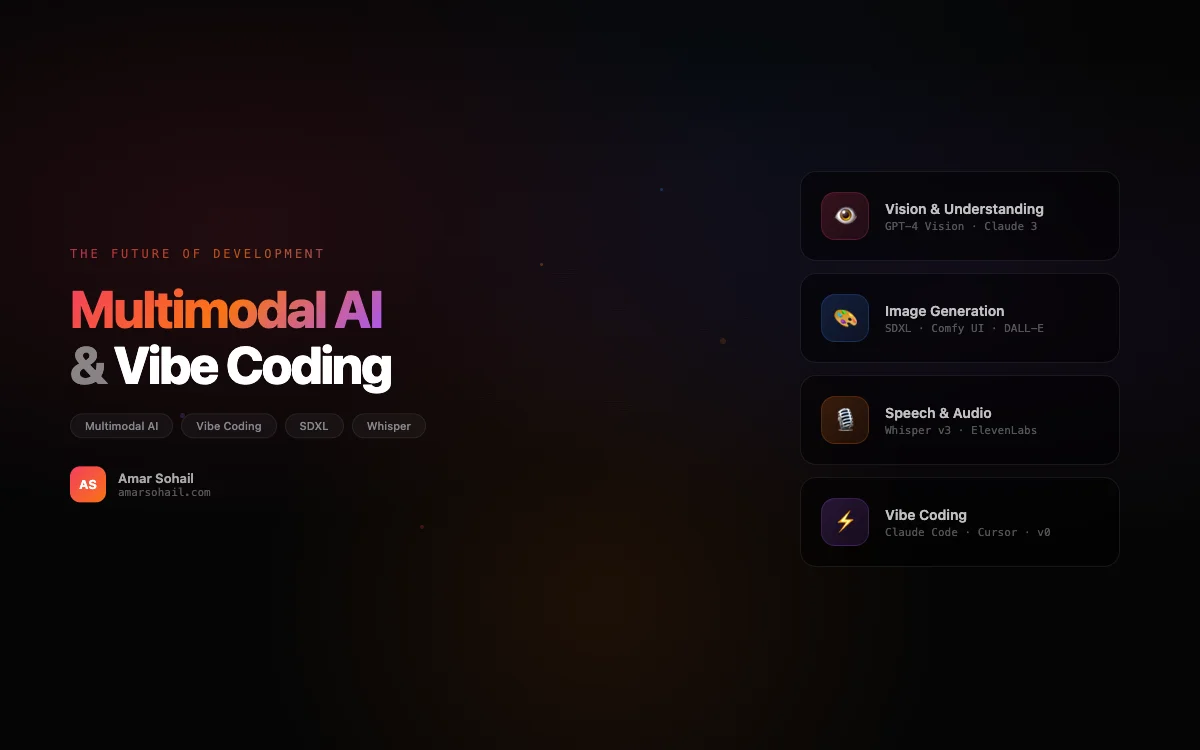
The multimodal AI stack we run at Giisty spans four modalities: image generation, video generation, speech-to-text, and text-to-speech. Each one has become a production capability, not a research experiment.
Image Generation with Comfy UI and SDXL
Comfy UI has become our standard for image generation workflows. Unlike Midjourney or DALL-E, Comfy UI gives us a node-based workflow that is reproducible, version-controlled, and deployable as an API. We run it on GPU instances with SDXL as our base model.
The consistent character problem was the biggest challenge we faced. Generating a single good image is easy. Generating a series of images where the same character appears consistently across different scenes and poses is brutally hard. We solved this with a pipeline that combines IP-Adapter for face consistency, ControlNet for pose control, and LoRA fine-tuning on reference images:
# Simplified Comfy UI API workflow for consistent character generation

import json
import httpx
import asyncio

COMFY_API = "http://gpu-cluster:8188"

async def generate_consistent_character(
    character_ref: str,
    scene_description: str,
    pose_image: str | None = None,
    style_lora: str = "photorealistic_v2",
    seed: int = 42
) -> bytes:
    """Generate an image with consistent character appearance."""

    workflow = {
        "checkpoint": "sd_xl_base_1.0.safetensors",
        "positive_prompt": (
            f"{scene_description}, highly detailed, professional "
            f"photography, 8k resolution"
        ),
        "negative_prompt": (
            "blurry, low quality, distorted face, extra limbs, "
            "watermark, text overlay"
        ),
        "ip_adapter": {
            "model": "ip-adapter-faceid-plusv2_sdxl.bin",
            "reference_image": character_ref,
            "weight": 0.85,
            "noise": 0.1
        },
        "controlnet": {
            "model": "controlnet-openpose-sdxl-1.0",
            "image": pose_image,
            "strength": 0.7
        } if pose_image else None,
        "lora": {
            "model": f"{style_lora}.safetensors",
            "strength": 0.65
        },
        "sampler": {
            "steps": 30,
            "cfg": 7.5,
            "seed": seed,
            "scheduler": "karras"
        },
        "output": {
            "width": 1024,
            "height": 1024
        }
    }

    async with httpx.AsyncClient(timeout=120) as client:
        response = await client.post(
            f"{COMFY_API}/api/prompt",
            json={"prompt": workflow}
        )
        prompt_id = response.json()["prompt_id"]

        # Poll for completion
        while True:
            status = await client.get(
                f"{COMFY_API}/api/history/{prompt_id}"
            )
            if prompt_id in status.json():
                outputs = status.json()[prompt_id]["outputs"]
                image_data = outputs["images"][0]
                return await client.get(
                    f"{COMFY_API}/api/view",
                    params=image_data
                )
            await asyncio.sleep(1)
VRAM Optimization: The Unspoken Battle
Running SDXL in production taught us more about GPU memory management than any textbook. SDXL's base model alone consumes roughly 6.5 GB of VRAM. Add IP-Adapter, ControlNet, and a LoRA, and you are well past 12 GB. On our A10G instances (24 GB VRAM), that left almost no headroom for batch processing.
Our optimization playbook:
- FP16 inference everywhere. Halves memory usage with negligible quality loss for SDXL.
- Sequential model loading. Load ControlNet only when a pose image is provided, unload it immediately after.
- Tiled VAE decoding. Instead of decoding the full latent at once, process it in tiles. Cuts VAE VRAM usage by 60%.
- Attention slicing. Process attention computations in chunks rather than all at once. Slightly slower, but dramatically reduces peak memory.
These optimizations let us run 3 concurrent SDXL generation jobs on a single A10G, which made the economics viable for production.
Speech-to-Text with Whisper
Whisper is the most underrated model in our stack. We use it for transcribing customer calls, converting voice notes to text for our content pipeline, and enabling voice-driven coding sessions. The accuracy on English content is remarkable — we consistently see below 5% word error rate on clean audio.
import whisper
import torch

def transcribe_with_timestamps(
    audio_path: str,
    model_size: str = "large-v3",
    language: str = "en"
) -> dict:
    """Transcribe audio with word-level timestamps."""

    device = "cuda" if torch.cuda.is_available() else "cpu"
    model = whisper.load_model(model_size, device=device)

    result = model.transcribe(
        audio_path,
        language=language,
        word_timestamps=True,
        condition_on_previous_text=True,
        fp16=(device == "cuda"),
        verbose=False
    )

    segments = []
    for segment in result["segments"]:
        segments.append({
            "start": segment["start"],
            "end": segment["end"],
            "text": segment["text"].strip(),
            "words": [
                {
                    "word": w["word"],
                    "start": w["start"],
                    "end": w["end"],
                    "probability": w["probability"]
                }
                for w in segment.get("words", [])
            ]
        })

    return {
        "full_text": result["text"],
        "language": result["language"],
        "segments": segments
    }
We deploy Whisper on the same GPU cluster as our image generation pipeline, using a simple queue system to time-share the GPU between workloads. Transcription jobs run during off-peak hours for image generation, which keeps our GPU utilization above 80% — critical for justifying the infrastructure cost.
AI Video Generation: The Frontier
AI video generation is the modality we are most cautiously optimistic about. We have experimented with Runway Gen-2, Stable Video Diffusion, and Pika for generating short-form video content. The quality has improved dramatically in the past twelve months, but we are not yet using it for customer-facing content without heavy human review.
The most promising use case we have found is generating synthetic training data for computer vision models. Instead of filming hundreds of scenarios for a product detection model, we generate them. A 4-second video of a product rotating on a table gives us 120 frames of training data from a single generation. Combined with consistent character techniques from our image pipeline, we can generate diverse training scenarios at a fraction of the cost of physical data collection.
The Convergence: Multimodal Vibe Coding
The most exciting development is the convergence of these capabilities into a single development workflow. Here is what a "multimodal vibe coding" session looks like for us today:
- Voice input: I describe a feature requirement using speech. Whisper transcribes it to text in real time.
- Code generation: Claude Code receives the transcription along with codebase context via MCP and generates the implementation.
- Asset generation: If the feature needs visual assets — icons, placeholder images, hero graphics — our Comfy UI pipeline generates them based on descriptions extracted from the feature spec.
- Review and iterate: I review everything in a single session, speaking corrections and refinements that get transcribed and fed back to the AI.
This is not science fiction. Every piece of this pipeline exists and runs in our infrastructure today. The integration is still rough — we use n8n to stitch the pieces together, and there is latency between steps. But the trajectory is clear. Within two years, the gap between "describe what you want" and "ship it" will shrink to minutes for standard features.
What This Means for Engineering Leaders
If you lead an engineering team, you need to be thinking about this convergence now. Not because it will replace your engineers — it will not, at least not the good ones — but because it will radically change what "productive" looks like.
The engineers who thrive in this world are the ones who can think in systems, articulate intent clearly, and evaluate AI output critically. The engineers who struggle are the ones whose primary skill is translating requirements into syntax. That skill is being commoditized in real time.
My advice to engineering leaders:
- Invest in AI tooling infrastructure now. GPU clusters, MCP servers, and AI pipeline orchestration are becoming as essential as CI/CD pipelines.
- Train your team on prompt engineering. It is not a gimmick. The difference between a good prompt and a bad one is the difference between usable generated code and garbage.
- Keep humans in the loop for critical paths. AI-generated code needs review. AI-generated assets need approval. The agentic AI patterns we discussed previously apply here too — autonomy with guardrails.
- Measure productivity differently. Lines of code per day is already a terrible metric. In a vibe coding world, it becomes meaningless. Measure features shipped, bugs per feature, and time-to-production instead.
The future of software development is not AI replacing developers. It is developers wielding multimodal AI as a creative medium — describing, sketching, speaking their intent into existence, and then applying their engineering judgment to refine the output. We are living through the most significant shift in how software gets built since the invention of high-level programming languages. The teams that embrace it early will have a compounding advantage over those that wait.