TL;DR
Single-agent systems hit a ceiling fast. I learned this the hard way when we were building an automated research pipeline at Giisty. Our monolithic agent — one LLM call with a massive system prompt and a dozen tools — worked fine for simple queries. But the moment we needed it to research a topic, cross-reference data from multiple APIs, draft a summary, and then validate its own output, the whole thing collapsed under its own weight. Context windows bloated, tool selection became unreliable, and latency spiked to the point where users thought the system had crashed.
Why Multi-Agent Orchestration Matters
Single-agent systems hit a ceiling fast. I learned this the hard way when we were building an automated research pipeline at Giisty. Our monolithic agent — one LLM call with a massive system prompt and a dozen tools — worked fine for simple queries. But the moment we needed it to research a topic, cross-reference data from multiple APIs, draft a summary, and then validate its own output, the whole thing collapsed under its own weight. Context windows bloated, tool selection became unreliable, and latency spiked to the point where users thought the system had crashed.
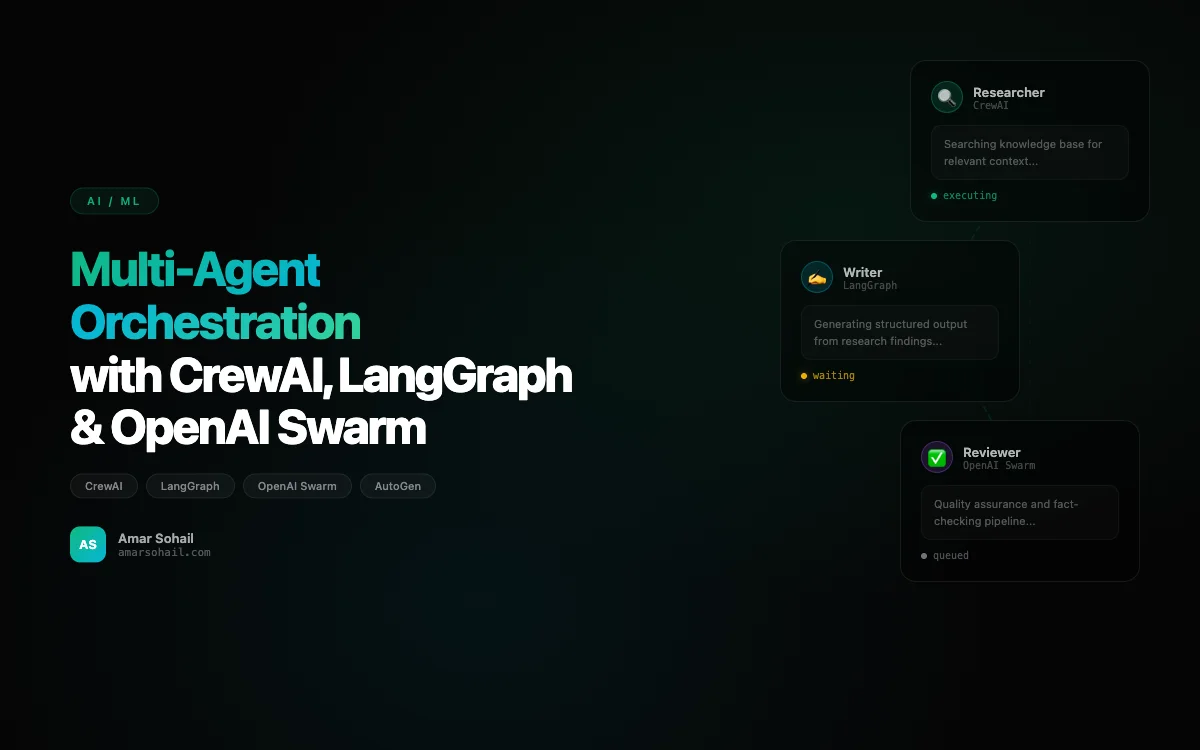
That experience pushed me to explore multi-agent orchestration seriously. Over the past year, I have built production systems with CrewAI, LangGraph, AutoGen, and OpenAI Swarm. Each framework has a fundamentally different philosophy about how agents should collaborate, and picking the wrong one for your use case will cost you weeks of refactoring. This post is the comparison I wish I had when I started.
CrewAI: Role-Based Collaboration That Just Works
CrewAI was the first multi-agent framework I deployed to production, and it remains my go-to for use cases where agents have clearly defined roles. The mental model is straightforward: you define agents with specific backstories and goals, assign them tasks, and let the crew execute sequentially or hierarchically.
Here is a simplified version of the research pipeline we built:
from crewai import Agent, Task, Crew, Process
from crewai_tools import SerperDevTool, WebsiteSearchTool

search_tool = SerperDevTool()
scrape_tool = WebsiteSearchTool()

researcher = Agent(
    role="Senior Research Analyst",
    goal="Find comprehensive, accurate data on {topic}",
    backstory="You are a meticulous research analyst with 15 years "
              "of experience in market intelligence. You never "
              "present unverified claims.",
    tools=[search_tool, scrape_tool],
    verbose=True,
    allow_delegation=False,
    max_iter=5,
    llm="gpt-4o"
)

writer = Agent(
    role="Technical Writer",
    goal="Transform raw research into a structured, actionable report",
    backstory="You are a technical writer who specializes in making "
              "complex data digestible for executive audiences.",
    verbose=True,
    llm="gpt-4o"
)

fact_checker = Agent(
    role="Fact Checker",
    goal="Verify all claims in the report against source material",
    backstory="You are a fact-checker who flags any claim that "
              "cannot be traced back to a primary source.",
    tools=[search_tool],
    verbose=True,
    llm="gpt-4o"
)

research_task = Task(
    description="Research {topic} thoroughly. Find at least 5 "
                "primary sources. Include statistics and trends.",
    expected_output="A structured research brief with cited sources.",
    agent=researcher
)

writing_task = Task(
    description="Write a 1500-word report based on the research brief. "
                "Use clear section headers and include data tables.",
    expected_output="A polished report in markdown format.",
    agent=writer
)

verification_task = Task(
    description="Fact-check every claim in the report. Flag any "
                "statement that lacks a verifiable source.",
    expected_output="The verified report with a confidence score.",
    agent=fact_checker
)

crew = Crew(
    agents=[researcher, writer, fact_checker],
    tasks=[research_task, writing_task, verification_task],
    process=Process.sequential,
    memory=True,
    verbose=True
)

result = crew.kickoff(inputs={"topic": "enterprise AI adoption 2024"})
What I love about CrewAI is how readable the code is. A non-technical product manager can look at this and understand the flow. The memory=True flag enables shared context across agents, which was critical for our use case since the fact-checker needed to reference the original research, not just the writer's interpretation.
Production Gotchas with CrewAI
The biggest issue we hit was non-deterministic task handoffs. When using Process.hierarchical, the manager agent sometimes reassigned tasks in ways that broke our downstream processing. We solved this by sticking with Process.sequential for critical pipelines and reserving hierarchical mode for exploratory workflows where creative routing was actually desirable.
LangGraph: When You Need Surgical Control
LangGraph is the opposite end of the spectrum from CrewAI. Where CrewAI abstracts away the orchestration logic, LangGraph forces you to define every edge, every conditional branch, every state transition. It is built on top of LangChain and uses a graph-based execution model that feels more like writing a state machine than orchestrating agents.
I reached for LangGraph when we needed a customer support pipeline with complex routing logic — escalations, human-in-the-loop approvals, and conditional tool execution based on customer tier:
from langgraph.graph import StateGraph, END
from langgraph.prebuilt import ToolNode
from typing import TypedDict, Literal, Annotated
from langchain_openai import ChatOpenAI
import operator

class SupportState(TypedDict):
    messages: Annotated[list, operator.add]
    customer_tier: str
    escalation_level: int
    requires_human: bool
    resolved: bool

llm = ChatOpenAI(model="gpt-4o", temperature=0)

def classify_intent(state: SupportState) -> SupportState:
    """Classify the incoming support request."""
    messages = state["messages"]
    response = llm.invoke(
        [{"role": "system", "content": "Classify the support request "
          "as: billing, technical, account, or escalation."}]
        + messages
    )
    return {"messages": [response], "escalation_level": 0}

def route_by_tier(state: SupportState) -> Literal[
    "premium_handler", "standard_handler", "human_review"
]:
    if state["customer_tier"] == "enterprise":
        return "premium_handler"
    if state["escalation_level"] >= 2:
        return "human_review"
    return "standard_handler"

def premium_handler(state: SupportState) -> SupportState:
    response = llm.invoke(
        [{"role": "system",
          "content": "You are a premium support agent. Be thorough "
                     "and offer proactive solutions. You can offer "
                     "credits and expedited resolution."}]
        + state["messages"]
    )
    return {"messages": [response], "resolved": True}

def standard_handler(state: SupportState) -> SupportState:
    response = llm.invoke(
        [{"role": "system",
          "content": "You are a support agent. Resolve the issue "
                     "efficiently. Escalate if unable to resolve."}]
        + state["messages"]
    )
    return {"messages": [response], "resolved": True}

def should_end(state: SupportState) -> Literal["end", "escalate"]:
    if state.get("resolved"):
        return "end"
    return "escalate"

graph = StateGraph(SupportState)
graph.add_node("classify", classify_intent)
graph.add_node("premium_handler", premium_handler)
graph.add_node("standard_handler", standard_handler)
graph.add_node("human_review", lambda s: {
    **s, "requires_human": True
})

graph.set_entry_point("classify")
graph.add_conditional_edges("classify", route_by_tier)
graph.add_conditional_edges("premium_handler", should_end, {
    "end": END, "escalate": "human_review"
})
graph.add_conditional_edges("standard_handler", should_end, {
    "end": END, "escalate": "human_review"
})
graph.add_edge("human_review", END)

app = graph.compile()
The graph-based approach shines here because the routing logic is explicit and testable. I can write unit tests for route_by_tier without spinning up any LLM. I can visualize the entire flow as a directed graph. And when the product team says "add a feedback loop after resolution," I add one edge instead of rewriting the orchestration layer.
When LangGraph Gets Painful
State management in LangGraph can become a nightmare on larger graphs. We had a pipeline with 14 nodes and the TypedDict state object grew to 23 fields. Debugging which node mutated which field turned into archaeology. My advice: keep LangGraph graphs under 10 nodes. If you need more, compose multiple smaller graphs.
OpenAI Swarm: Lightweight Agent Handoffs
OpenAI Swarm took a radically minimalist approach to multi-agent orchestration. It is essentially a thin wrapper around function-calling that enables agents to hand off conversations to each other. No state graphs, no task queues, no orchestration layer — just agents transferring control.
from swarm import Swarm, Agent

client = Swarm()

def transfer_to_billing():
    """Transfer to the billing specialist."""
    return billing_agent

def transfer_to_technical():
    """Transfer to the technical support agent."""
    return technical_agent

triage_agent = Agent(
    name="Triage Agent",
    instructions="You are a triage agent. Determine if the user "
                 "needs billing help or technical help, then "
                 "transfer to the appropriate specialist.",
    functions=[transfer_to_billing, transfer_to_technical],
)

billing_agent = Agent(
    name="Billing Specialist",
    instructions="You handle billing inquiries. You can issue "
                 "refunds up to $50 and explain invoices.",
)

technical_agent = Agent(
    name="Technical Support",
    instructions="You handle technical issues. Walk users through "
                 "troubleshooting steps methodically.",
)

response = client.run(
    agent=triage_agent,
    messages=[{"role": "user", "content": "I was charged twice"}],
)
Swarm is perfect for conversational handoff patterns. We use it for internal tools where agents need to transfer context like a phone call being routed between departments. But I would never use it for complex orchestration — it has no built-in state management, no parallel execution, and no memory across sessions. It is a prototyping tool, not a production orchestration framework, and OpenAI themselves label it as experimental and educational.
AutoGen: The Academic Powerhouse
Microsoft's AutoGen is the most feature-rich framework in this comparison, and also the most complex. It supports multi-agent conversations, code execution in sandboxed environments, and human-in-the-loop patterns out of the box. We used it for a code review automation pipeline where agents needed to actually run generated code and iterate on failures.
The standout feature is GroupChat, which lets multiple agents debate and refine outputs collaboratively. But the API surface is enormous, the documentation assumes familiarity with research papers, and the abstraction layers can be disorienting. I found myself reading source code more often than docs.
How I Choose Between Them
After deploying all four in production, here is my decision framework:
- CrewAI when agents have distinct roles and the workflow is linear or lightly branching. Best for content pipelines, research workflows, and data processing chains.
- LangGraph when you need precise control over state transitions, conditional routing, or human-in-the-loop checkpoints. Best for customer-facing systems where reliability trumps speed of development.
- OpenAI Swarm for quick prototypes and conversational handoff patterns. Do not use it for anything that needs to survive a code review.
- AutoGen when your use case involves code generation, execution, and iterative refinement. The complexity tax is worth it if you need sandboxed code execution.
Production Lessons That Apply to All of Them
No matter which framework you choose, these patterns saved us repeatedly:
Observability is non-negotiable. We instrument every agent call with structured logging — input tokens, output tokens, tool calls, latency, and the full message chain. When an agent goes off the rails at 3 AM, you need to reconstruct exactly what happened. We pipe everything into our monitoring stack alongside our service metrics.
Set aggressive timeouts and iteration limits. Agents in a loop will happily burn through your OpenAI budget in minutes. Every agent gets a max_iter cap, and every LLM call gets a timeout. We also set per-pipeline budget limits using token counting middleware.
Test with deterministic inputs first. Before connecting real tools, stub everything and verify the orchestration logic works with canned responses. This catches routing bugs and state management issues before they become expensive debugging sessions.
Human-in-the-loop is not optional for high-stakes decisions. We learned this after an agentic workflow autonomously sent a customer report with hallucinated statistics. Now every pipeline that produces external-facing content has a human approval gate. As I discussed in my post on agentic AI systems, the gap between a demo and a production-ready agent system is almost entirely about guardrails.
The multi-agent orchestration space is moving fast. CrewAI ships breaking changes regularly, LangGraph's API is still evolving, and new frameworks appear monthly. My advice: pick one, learn it deeply, build something real, and then evaluate alternatives with production context. The worst thing you can do is spend three months in framework-comparison paralysis while your competitors ship.